Building a Secure Password Generator API with AWS Lambda and API Gateway
End-to-end guide on creating a Python-based password generator, deploying it to AWS Lambda, exposing it securely via API Gateway, and applying security best practices.
Password Generator API Project 🔐☁️
In this project, we’ll build a Python-based secure password generator, deploy it as an AWS Lambda function, and expose it through Amazon API Gateway.
This approach enables a fully serverless, stateless, and secure password generation service that can be used via HTTP calls.
Let’s begin by understanding how the password generation logic works and how it ensures all security constraints are met.
1. Understanding the Password Generator Logic 🧩
Here’s the core Python function that generates the passwords:
1
2
3
4
5
6
7
8
9
10
11
12
13
14
15
16
17
18
19
20
21
import re
import secrets
import string

def generate_password(length=16, nums=1, special_chars=1, uppercase=1, lowercase=1):
    letters = string.ascii_letters
    digits = string.digits
    symbols = string.punctuation
    all_characters = letters + digits + symbols

    constraints = [
        (nums, r'\d'),
        (special_chars, r'[!@#$%^&*(),.?":{}|<>]'),
        (uppercase, r'[A-Z]'),
        (lowercase, r'[a-z]')
    ]

    while True:
        password = ''.join(secrets.choice(all_characters) for _ in range(length))
        if all(constraint <= len(re.findall(pattern, password)) for constraint, pattern in constraints):
            return password
🔍 How It Works
- Character sets are defined (letters, digits, and symbols).
- Inside a while True loop, the function generates a random password using secrets.choice().
- After each generation, it checks every security constraint (regex-based).
- If all constraints are satisfied, it returns the password and breaks the loop.
- If not, the loop regenerates until a valid password is produced.
This ensures that no matter how the random selection behaves, the final password always meets all requirements.
- Example output:
1
2
3

Xg@3wLp!q9H#sTzY
2. Creating the Lambda Function 🧠
Now, let’s turn our password generator into a Lambda function that can receive parameters from an HTTP request and return a generated password in JSON.
Lambda Function code
1
2
3
4
5
6
7
8
9
10
11
12
13
14
15
16
17
18
19
20
21
22
23
24
25
import json
from password_generator import generate_password

def lambda_handler(event, context):
    try:
        params = event.get("queryStringParameters", {}) or {}
        length = int(params.get("length", 16))
        nums = int(params.get("nums", 1))
        special_chars = int(params.get("special_chars", 1))
        uppercase = int(params.get("uppercase", 1))
        lowercase = int(params.get("lowercase", 1))

        password = generate_password(length, nums, special_chars, uppercase, lowercase)

        return {
            "statusCode": 200,
            "headers": {"Content-Type": "application/json"},
            "body": json.dumps({"password": password})
        }

    except Exception as e:
        return {
            "statusCode": 400,
            "body": json.dumps({"error": str(e)})
        }
🗂️ Folder Structure
We will have our Lambda Function and Password Generator scripts in two separate .py files (as you can see we previously imported the password_generator into our lambda handler.)
1
2
lambda_function.py
password_generator.py
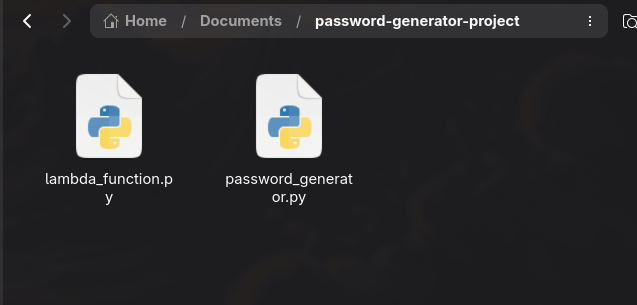
Then compress the folder for deployment:
1
zip -r lambda_function.zip lambda_function.py password_generator.py
Always include both scripts when uploading to Lambda.
3. Deploying to AWS Lambda ☁️
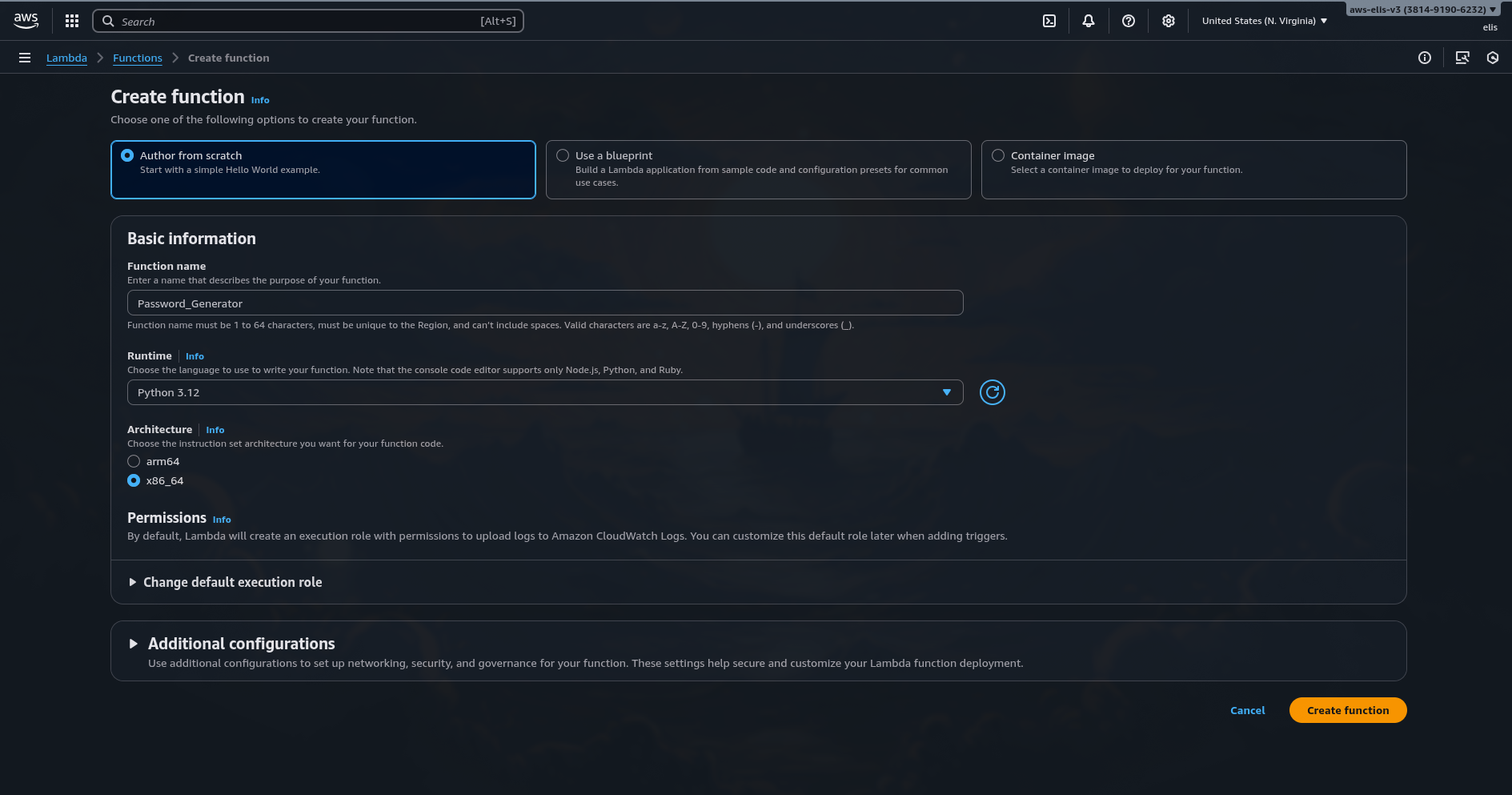
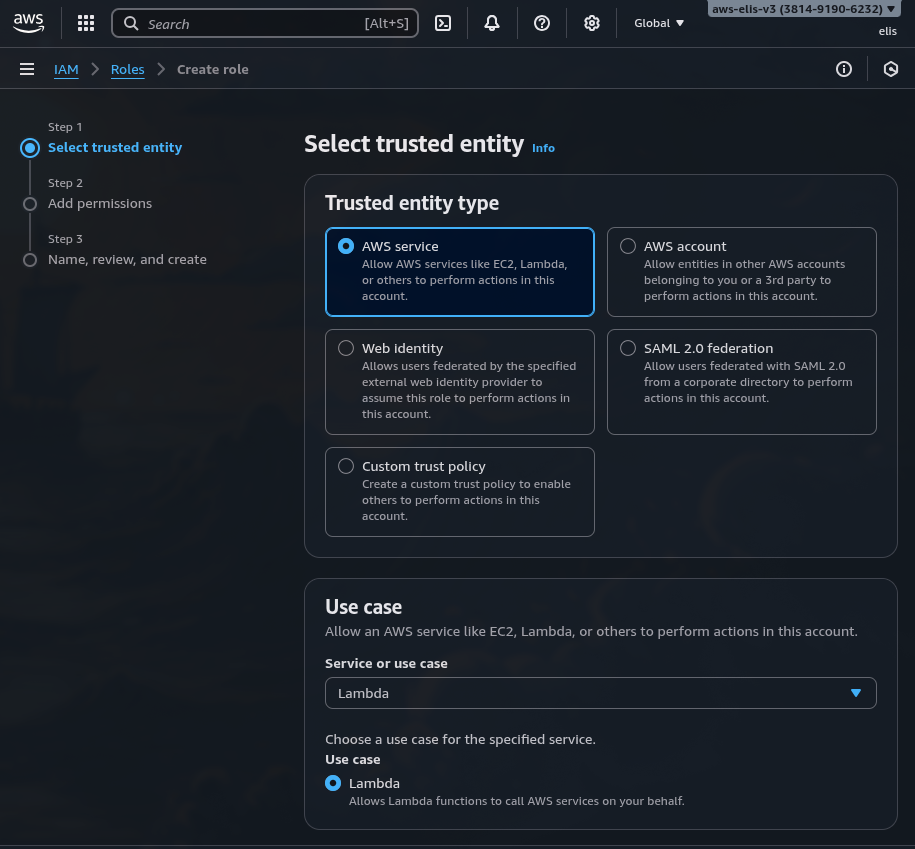
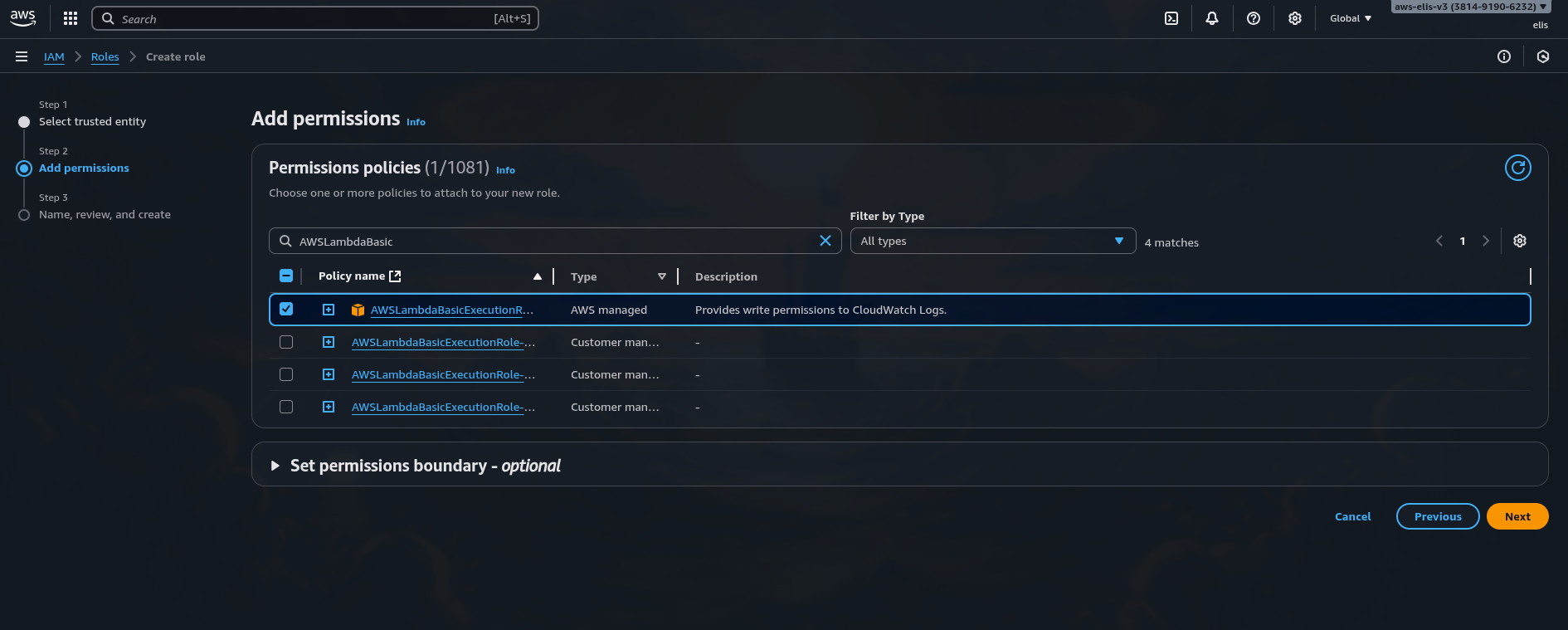
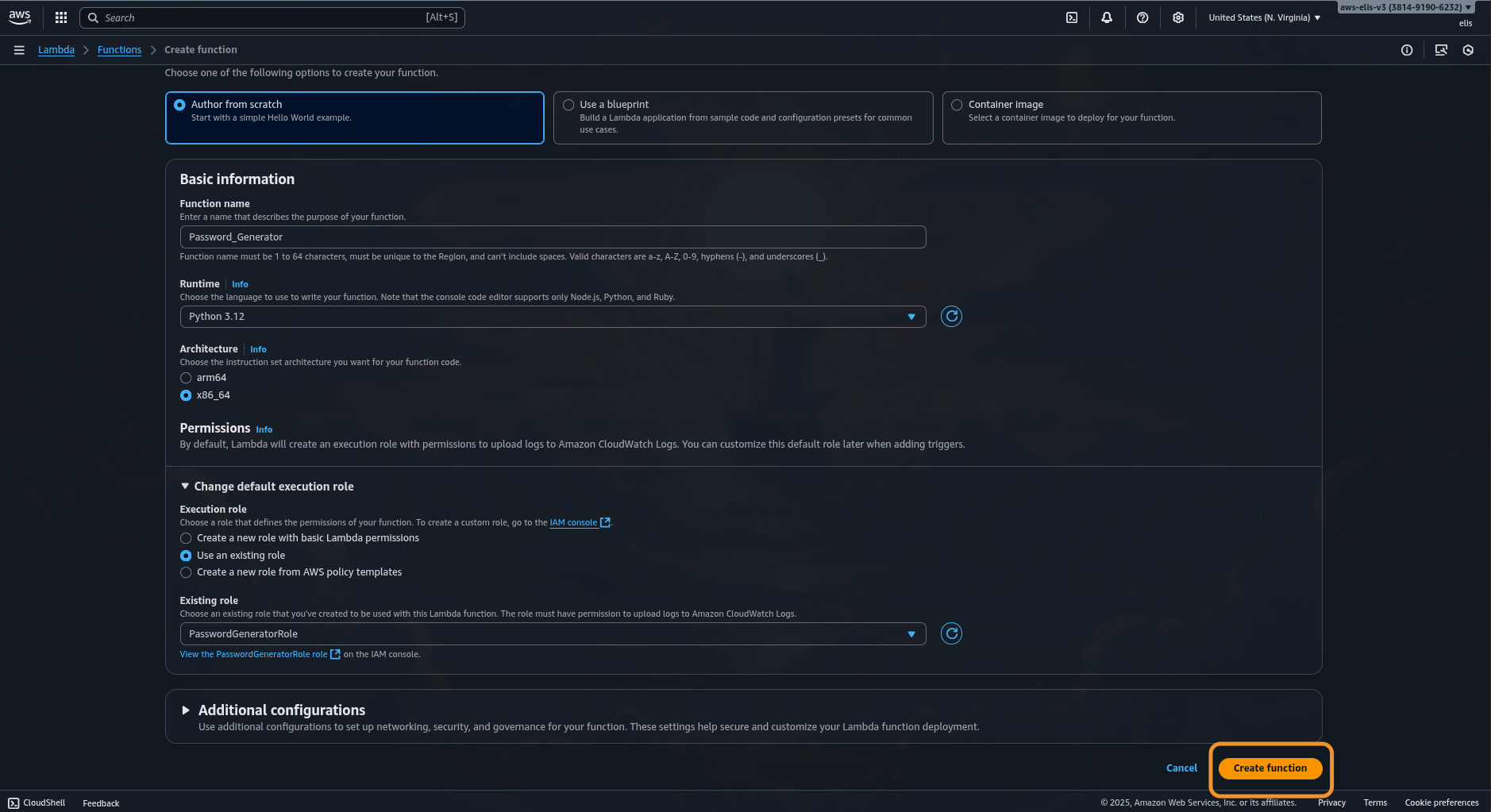
- Go to the AWS Lambda Console → Create Function.
- Choose:
- Runtime: Python 3.12
- Architecture: x86_64
- Permissions: attach AWSLambdaBasicExecutionRole
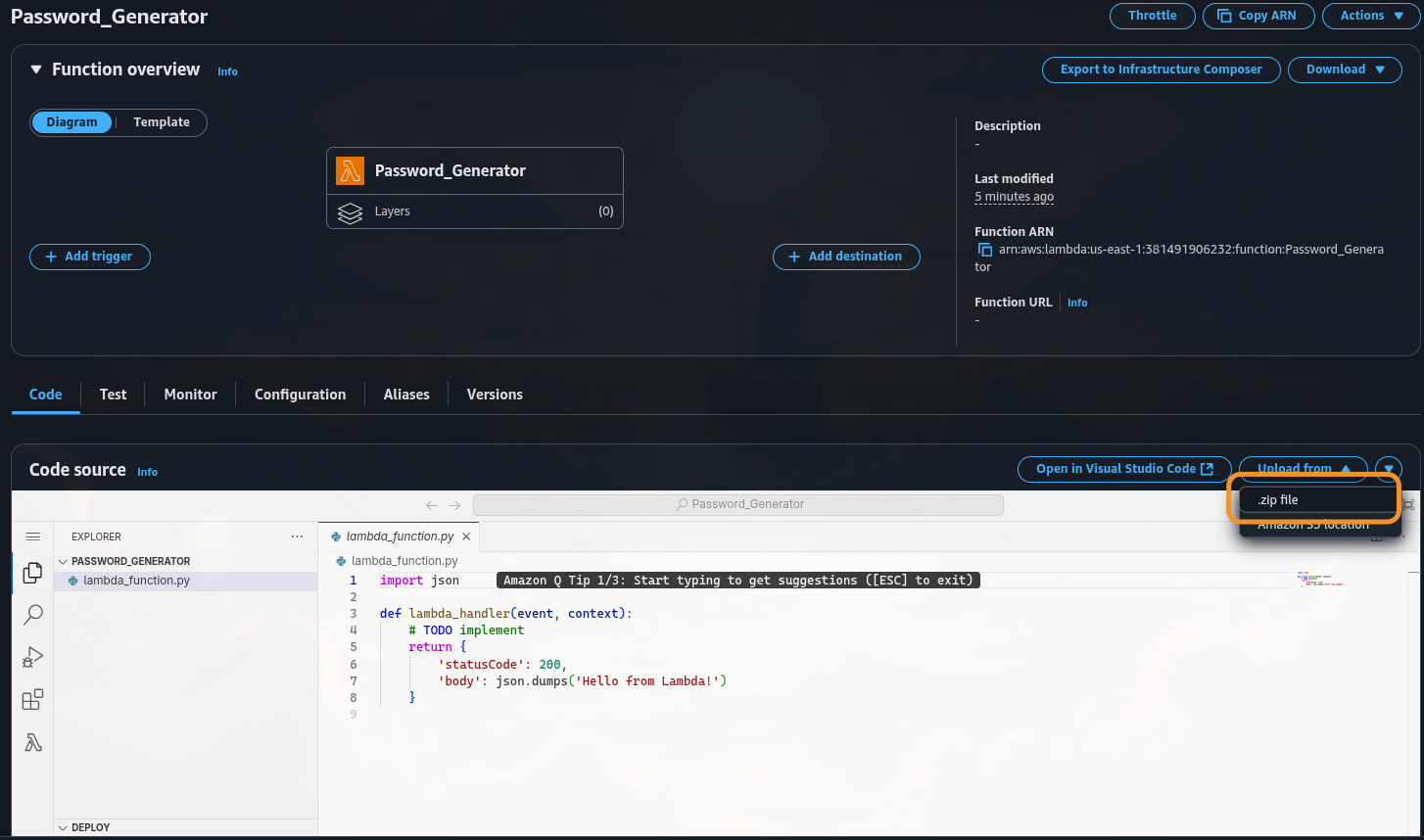
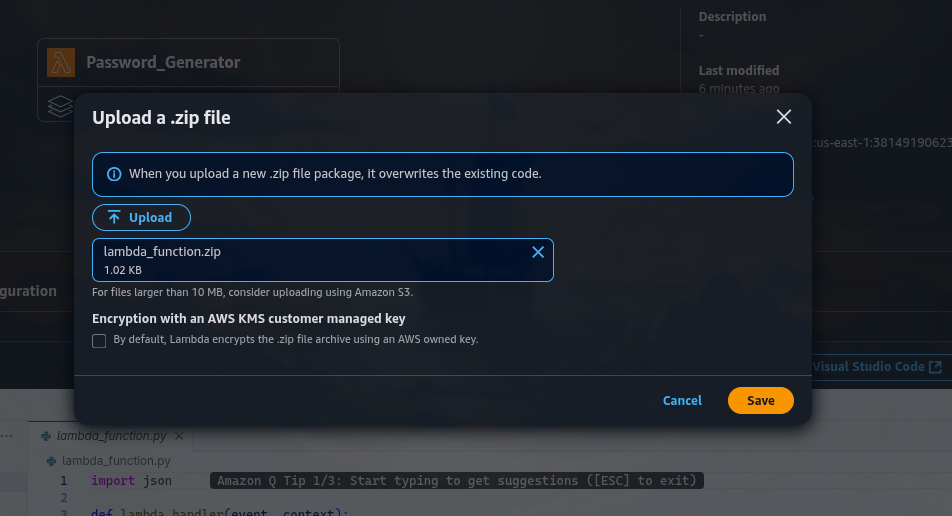
- Upload your lambda_function.zip.
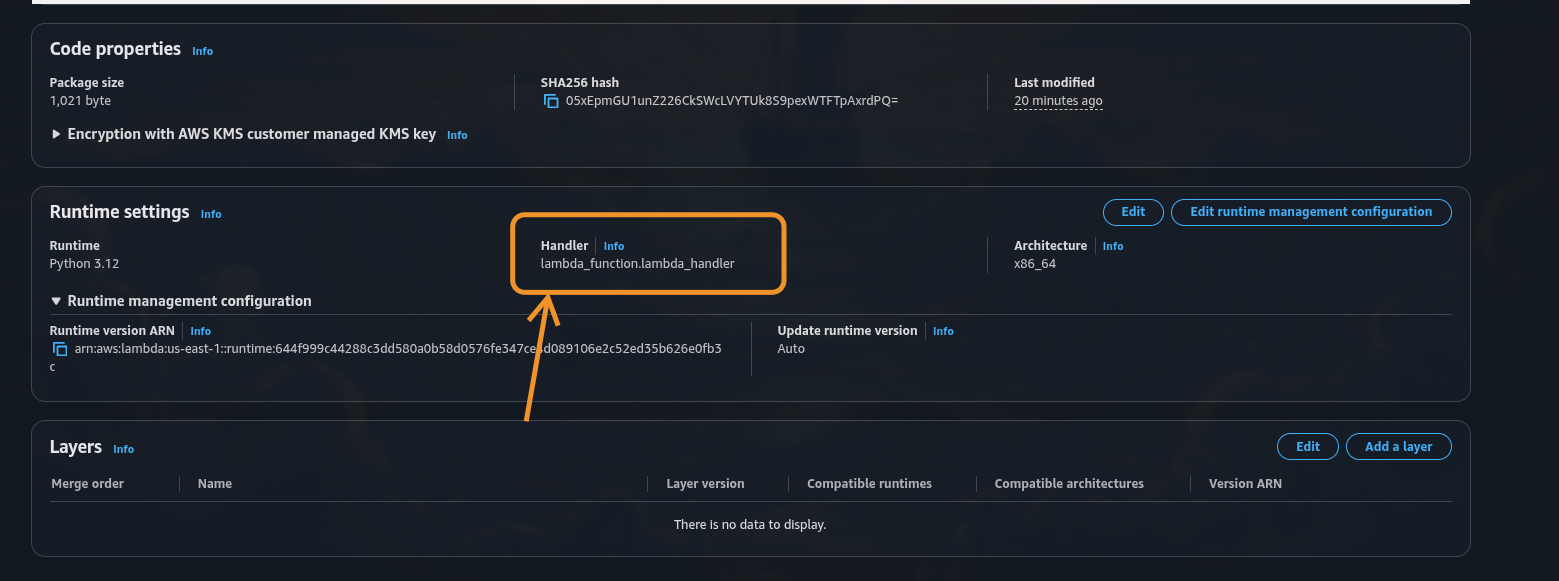
- Set handler:
1
lambda_function.lambda_handler
- Save and Deploy.
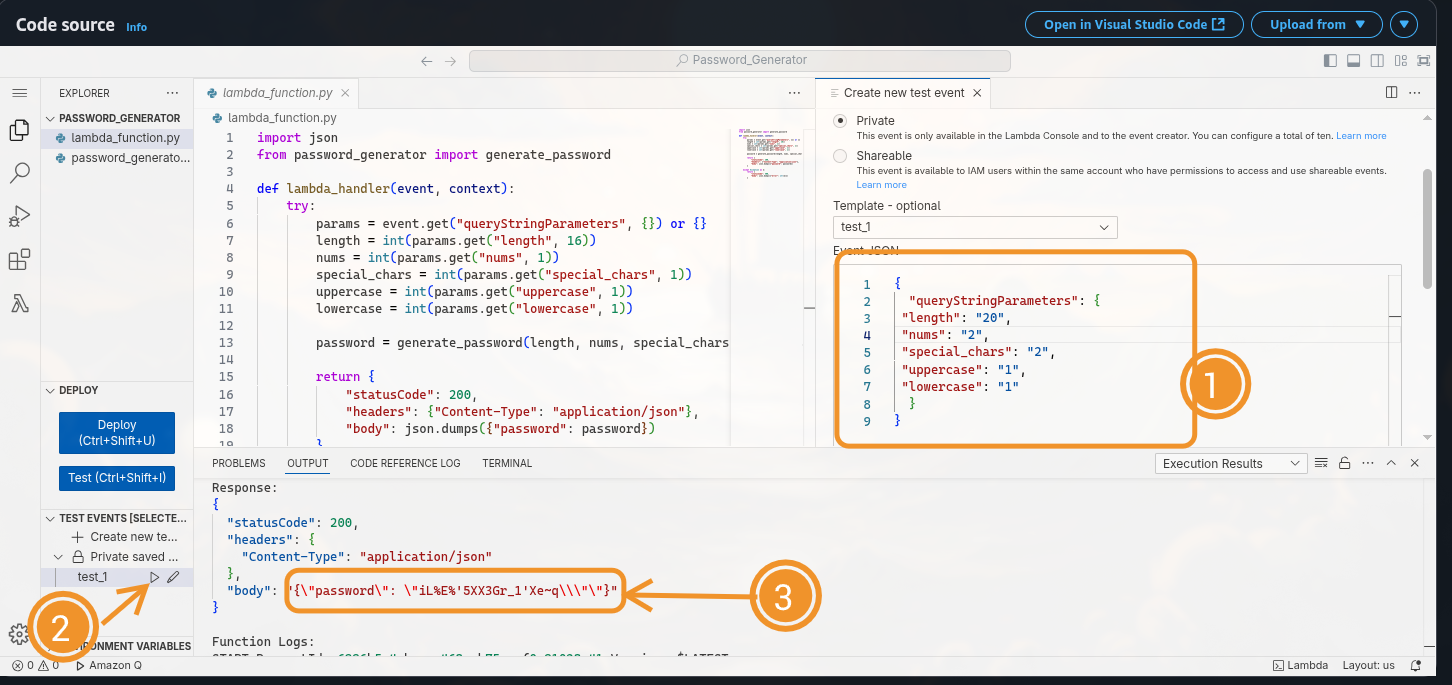
You can now test it using the built-in Lambda test tool:
1
2
3
4
5
6
7
8
9
{
  "queryStringParameters": {
    "length": "20",
    "nums": "2",
    "special_chars": "2",
    "uppercase": "1",
    "lowercase": "1"
  }
}
4. Exposing the Function via API Gateway 🌐
To allow external clients to access the Lambda securely:
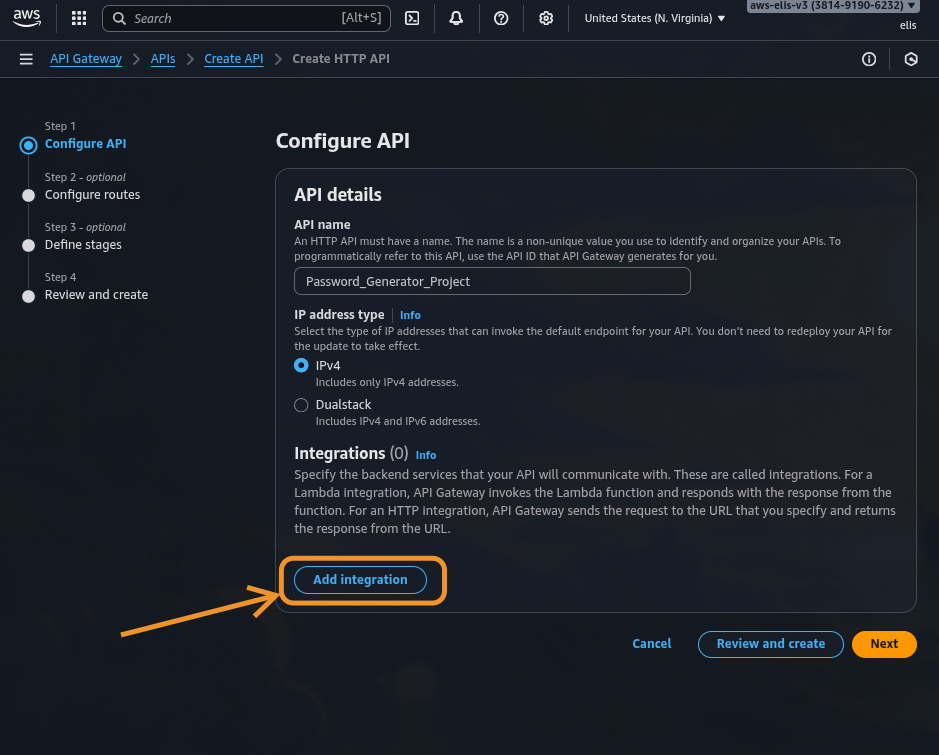
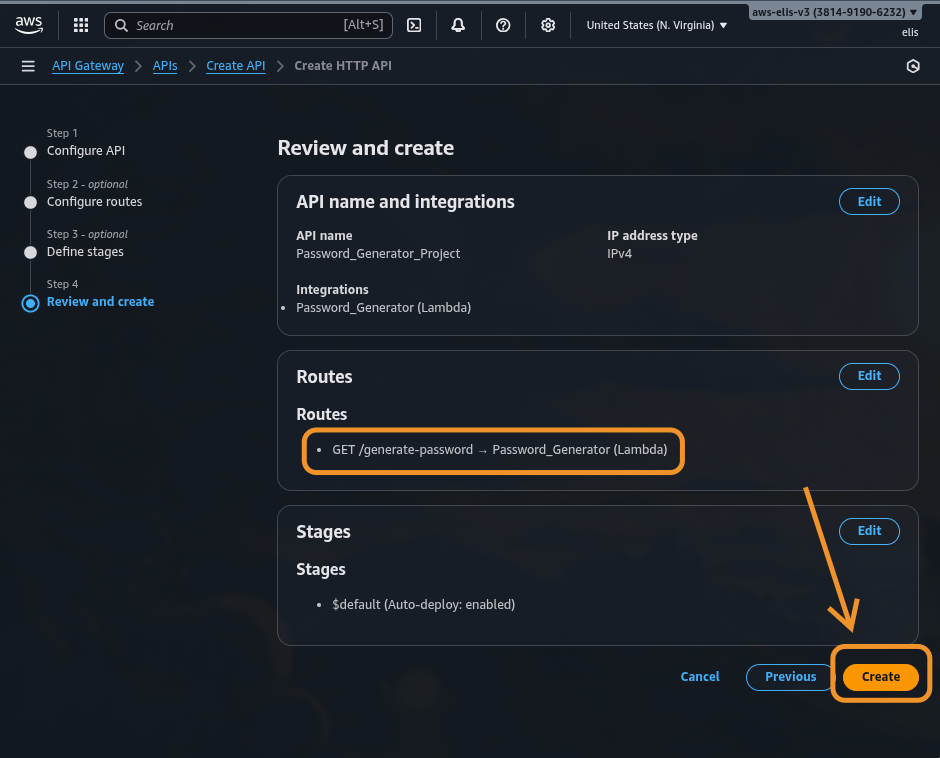
- Open Amazon API Gateway → Create API → HTTP API.
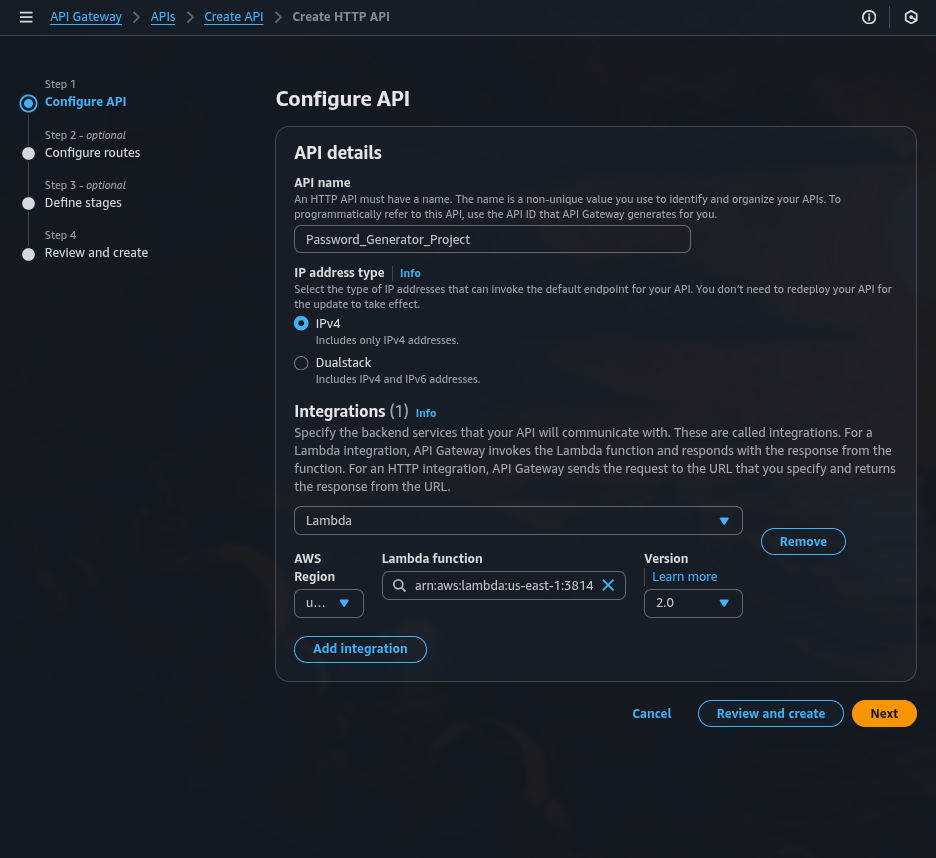
- Add Integration → select your Lambda function.
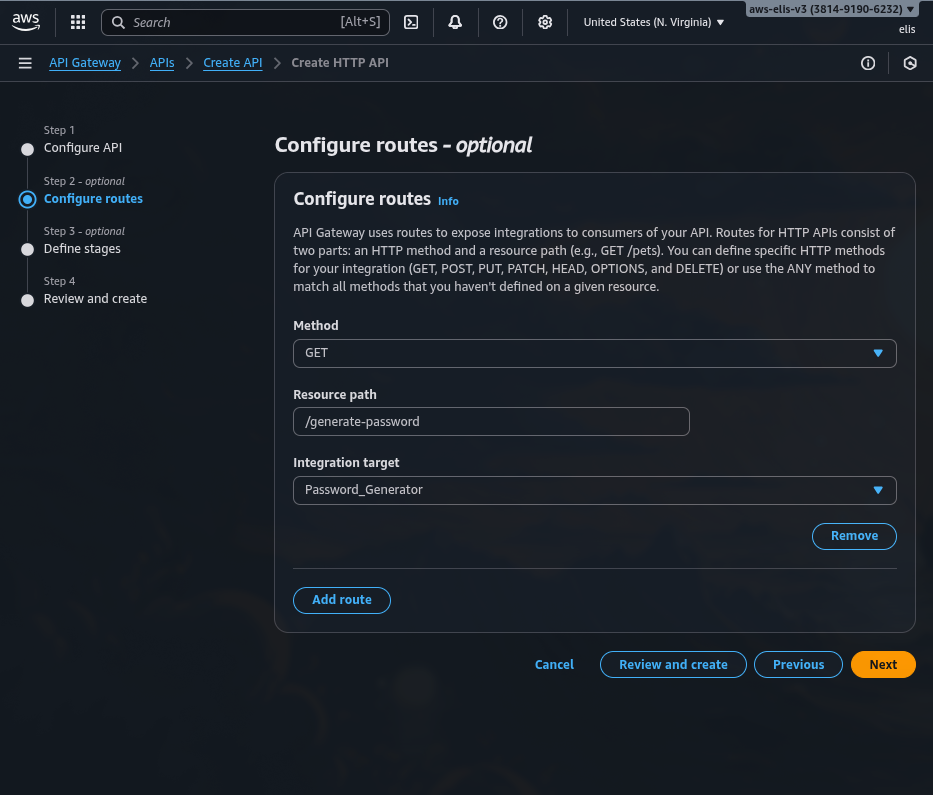
- Create a GET method
/generate-password.
- Deploy → copy your Invoke URL.
Example request:
1
2
3

https://abcd1234.execute-api.eu-central-1.amazonaws.com/generate-password?length=20&nums=2&special_chars=2
Expected JSON response:
1
2
3
4
5

{
  "password": "T!k7Gp3Wz@9hQ2Lm"
}
API Gateway automatically uses HTTPS, making sure that all responses are encrypted in transit.
5. Adding Security and Validation 🔒
To maintain high security standards, i suggest you apply the following best practices:
✅ Input Validation
- Limit maximum password length (e.g., 64)
- Validate integer types for all inputs
✅ Logging and Monitoring
- Enable CloudWatch Logs to track requests and errors
- Monitor API calls and Lambda performance
✅ Access Control
- Add an API Key and attach it to a Usage Plan
- Or integrate with AWS Cognito for authenticated access
✅ Rate Limiting
Set throttling limits (e.g., 10 requests per second) in API Gateway to prevent brute-force abuse.
✅ Secrets Management
If you want to extend the capabilites of the API to store the passwords, use AWS Secrets Manager — never log or store passwords in plaintext.
The Lambda should only generate and return the password once; it must never persist it in any storage.
6. Full Architecture Overview 🧱
Here’s the final flow of your system:
🗺️ Architecture Diagram

| Component | Description |
|---|---|
| Lambda | Executes password generation logic |
| API Gateway | Provides HTTPS interface to Lambda |
| IAM Role | Grants execution and logging permissions |
| CloudWatch | Collects metrics and logs for monitoring |
7. Testing the API 🧪
You can now test it via browser or curl:
1
2
3

curl "https://liwackcyc1.execute-api.us-east-1.amazonaws.com/generate-password?length=20&nums=2&special_chars=2"
Response:
1
2
3
4
5

{
  "password": "R@5mP!4dXt7kLz8s"
}

Each call generates a unique password that meets all defined constraints.
8. Optional Enhancements 🚀
- Add logging for validation errors
- Implement Terraform for IaC automation
- Add unit tests to validate regex constraints
- Integrate CloudFront for caching or rate protection
- Extend to Secrets Manager to deliver temporary credentials securely
9. Project Summary 🧾
| Layer | Technology | Purpose |
|---|---|---|
| Application | Python 3.12 | Password generation logic |
| Compute | AWS Lambda | Serverless execution |
| API Layer | Amazon API Gateway | Secure HTTPS endpoint |
| Monitoring | CloudWatch | Logs and metrics |
| Security | IAM + API Keys | Access control and encryption |
This project demonstrates a real-world example of building secure, serverless utilities in AWS using simple Python logic — lightweight, scalable, and safe by design.
🧠 Final Thoughts
By combining AWS Lambda, API Gateway, and Python, we’ve built a serverless password generator API that enforces strong password rules while maintaining minimal attack surface. The best part — it scales automatically and costs virtually nothing for occasional usage.
Serverless, secure, and simple — just as it should be. 🔐